Your family photos stay yours.
Back up to your own computer or NAS. You choose where photos live, and AI search can process them locally on your phone.
Your storage. Local AI. lomorage
Back up first steps, family days and everyday photos to your own computer or NAS. Find the moments you miss and make room on your phone for new memories.
Free desktop app · Phone app $1.99 once / No subscription, ever


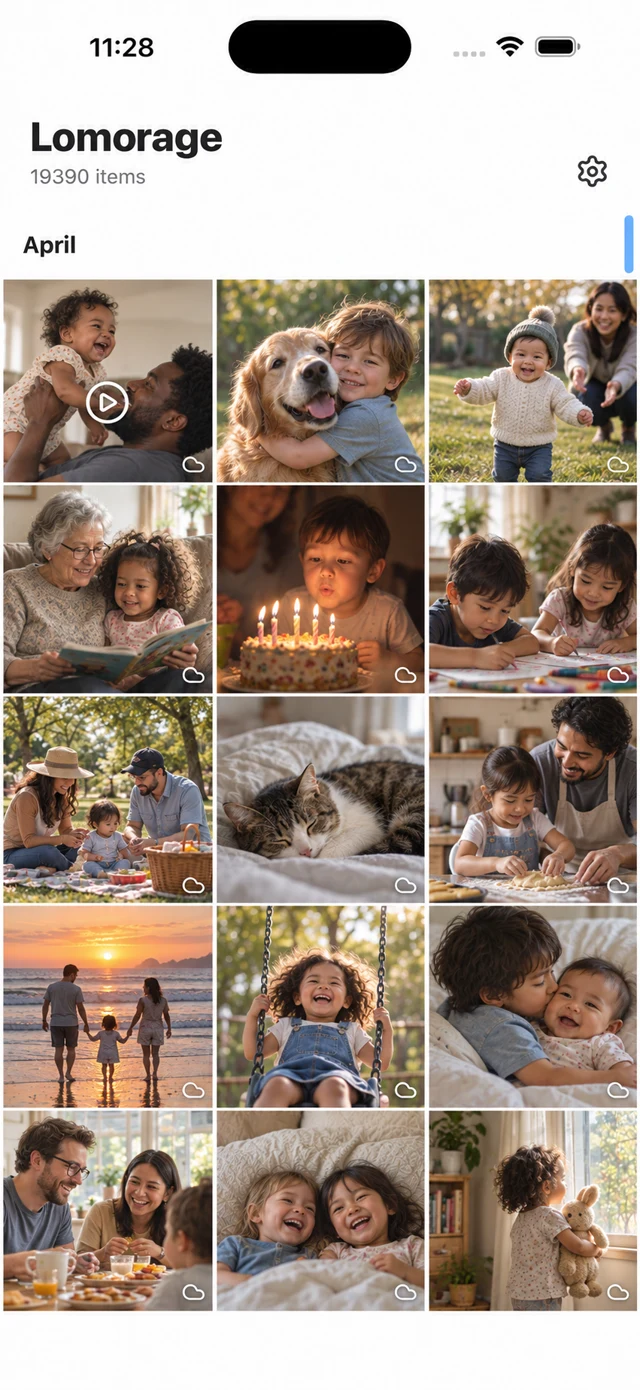
Everyday moments, easy to revisit
Describe a scene with AI search, or find photos by person, place and the words inside them. AI can run on your phone, with optional syncing of its results to your own server.
Try searching for “cat” or “beach”. For screenshots and receipts, search for words in the image.
Explore by person, date or on a map. Optimized for collections of 18,000+ photos, with years of everyday moments to revisit.
Use Free Up Space to remove large files already backed up. Review duplicate and similar photos to choose the moments you want to keep.
More memories. Less managing.
Automatic backups and original files, so you can spend less time managing photos and more time with the people in them.
Back up to your own computer or NAS. You choose where photos live, and AI search can process them locally on your phone.
Your storage. Local AI.Keep original photos, videos and iPhone Live Photos, with their quality and capture details preserved. Every little smile is worth saving.
Photos, videos & Live PhotosChoose Wi-Fi-only, charging-only or nighttime backups, and select folders to include. Your computer or NAS needs to be on and reachable during backup.
Backup that fits your routineAlready set up at home? Get the phone app and scan the sign-in code prepared for your account.
No place like home.
Your first backup, step by step
Choose Windows or Mac, copy the installation command and run it. A setup page with a QR code opens automatically when installation finishes.
Install LomoMobile and join the same home network. Scan the computer’s setup code inside the app, then create an account and choose storage. The app recommends the drive with the most free space.
Allow access to the photos you want to back up and check progress. You can also create separate accounts for family members and let them scan a code to sign in.
Install & download
Setting up for the first time? Begin on your computer. Already set up at home? Get the phone app and scan to join.
Your computer stores the photos. Open this page on that computer and make sure it has enough free disk space.
Tap a download button on your phone, or scan a download code below with its camera. To connect to your computer afterward, use the scanner inside LomoMobile.
Look for LomoMobile in the store
$1.99 one-time · no in-app subscription
Get it on the App Store
Install the Android app
$1.99 one-time · no in-app subscription
Get it on Google Play
Keep Lomorage running on the computer. After a fresh installation, its setup page shows a setup QR code.
First setup: scan the computer’s setup code, confirm the connection, then create an account and choose storage. Account already prepared? Scan your sign-in code instead.
Allow access to the photos you want to back up. Check that a few photos are backed up and open correctly, then explore automatic backup settings.
Use the scanner inside LomoMobile to scan the computer’s setup code. If an account is already prepared, ask for your sign-in code. Scanning fills in the connection address without automatic discovery. If connection still fails, check that both devices are on the same home network and Lomorage is running. See the detailed guide for manual addresses and firewall troubleshooting.
Need help connecting? Contact us →Once your computer and phone account are set up, download the importer. Extract and open it, sign in with your existing account, select a photo folder, and start importing.
Read the folder & USB import guide ↗Find NAS, Raspberry Pi and Linux guides in “Other devices” below.
Explore other device guides ↗Not sure what to do next? Tell us which computer and phone you use →
Other devices
If you use a NAS, Raspberry Pi or home server, follow its setup guide. Families starting with a computer can skip this section.
For the first setup, prepare photo storage on a computer or NAS and install the phone app. If your household already has Lomorage set up and an account ready for you, just install the phone app and scan your sign-in code.
Enable automatic backup and choose Wi-Fi-only, charging-only or nighttime backups, plus the folders to include. Your computer or NAS must be on and reachable. Phone systems limit background activity, so keep the app open for a first or large backup and check completion.
Free Up Space can remove large local files that have already been backed up. Confirm backup is complete and the originals open correctly before clearing space. Keep another independent copy of irreplaceable photos.
Local storage is not a guarantee against loss. Drives can fail and files can be accidentally deleted. Regularly copy important photos to a separate drive and check that those files open correctly.
To access originals stored on your computer, it must be on and reachable. Offline browsing on your phone depends on what the app has cached; do not assume every original is available offline.
Make room for the next chapter
Keep today’s smiles, and make room for the moments still to come.
Get the desktop & mobile apps Free desktop app · Phone app $1.99 once · No subscription, ever